Instrumentation | PLC | Tutorials— Click here to visit
Instrumentation | PLC | Tutorials— Click here to visit
If you walk into any modern factory, one device silently controls almost everything —
motors, valves, conveyors, pumps, alarms, and interlocks.
That device is the PLC (Programmable Logic Controller).
Whether you are a student, maintenance engineer, or automation beginner, understanding PLCs is no longer optional — it’s a core skill.
This article explains PLCs in easy language, with clear logic, taking you from zero knowledge to solid understanding.
1. Why PLCs Exist (The Real Reason)
Before PLCs, industries used:
- Relays
- Timers
- Contactors
- Massive control panels
Problems with Relay Logic:
❌ Too many wires
❌ Difficult troubleshooting
❌ No flexibility
❌ Time-consuming changes.
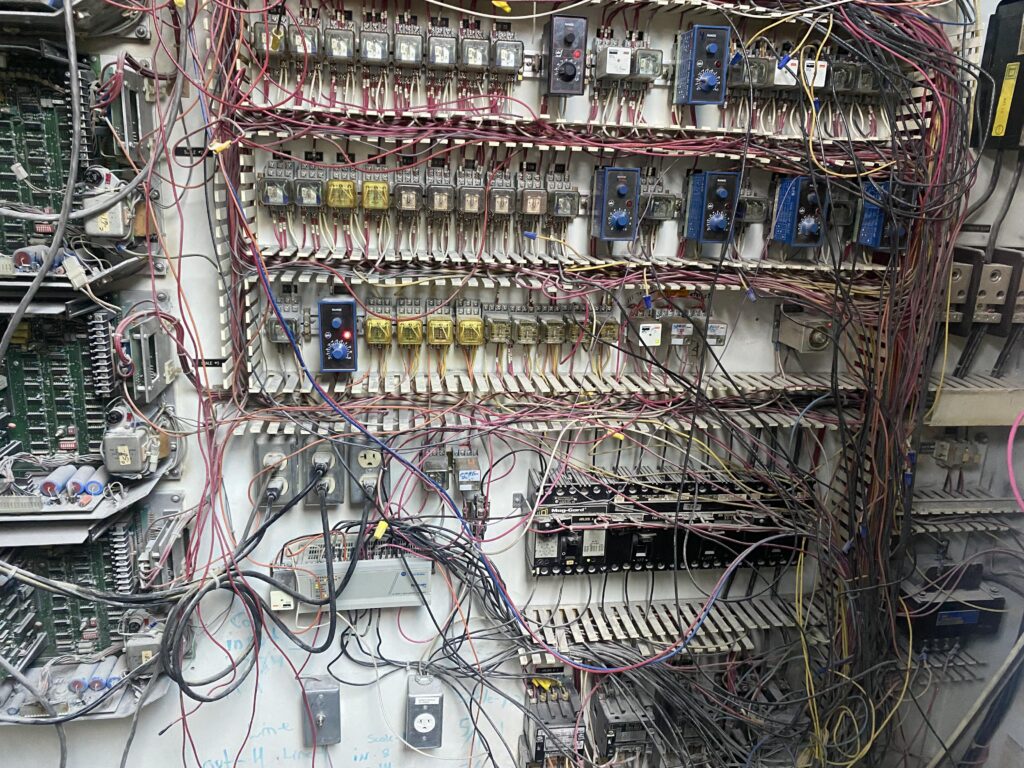
Pic Courtesy- https://www.reddit.com/r/PLC/comments/1m7q85p/relay_logic/
-
Industries needed something:
✔ Flexible
✔ Reliable
✔ Easy to modify
✔ Compact👉 That’s how PLCs were born.
2. What Is a PLC? (Simple Definition)
A PLC is an industrial computer used to:
-
- Read inputs (switches, sensors)
-
- Process logic (program)
-
- Control outputs (motors, solenoids, valves)
In simple words:
PLC = Brain of industrial automation
3. Basic PLC Working Principle
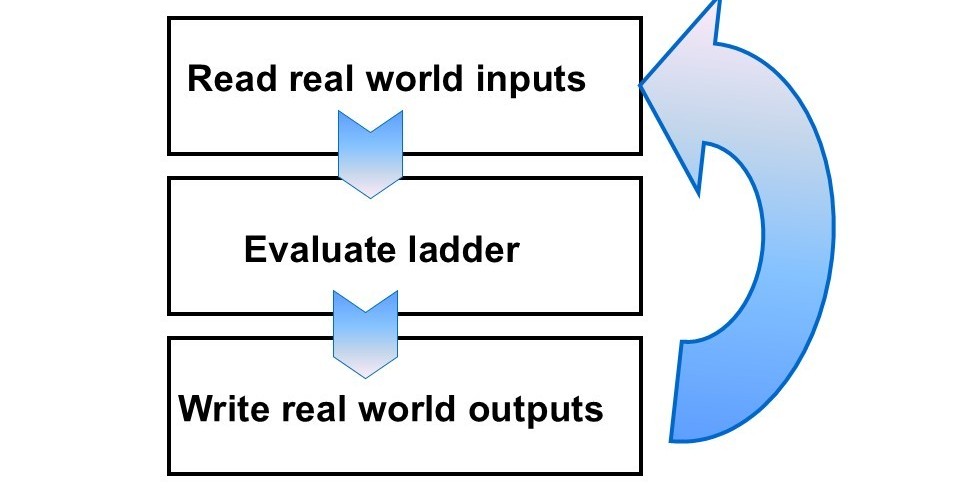
PLC works in a continuous cycle, called the scan cycle.
PLC Scan Cycle:
1️⃣ Read Inputs
2️⃣ Execute Program
3️⃣ Update Outputs
This happens thousands of times per second.
So when a sensor changes, PLC reacts almost instantly.
4. Main Parts of a PLC
Every PLC has these core components:
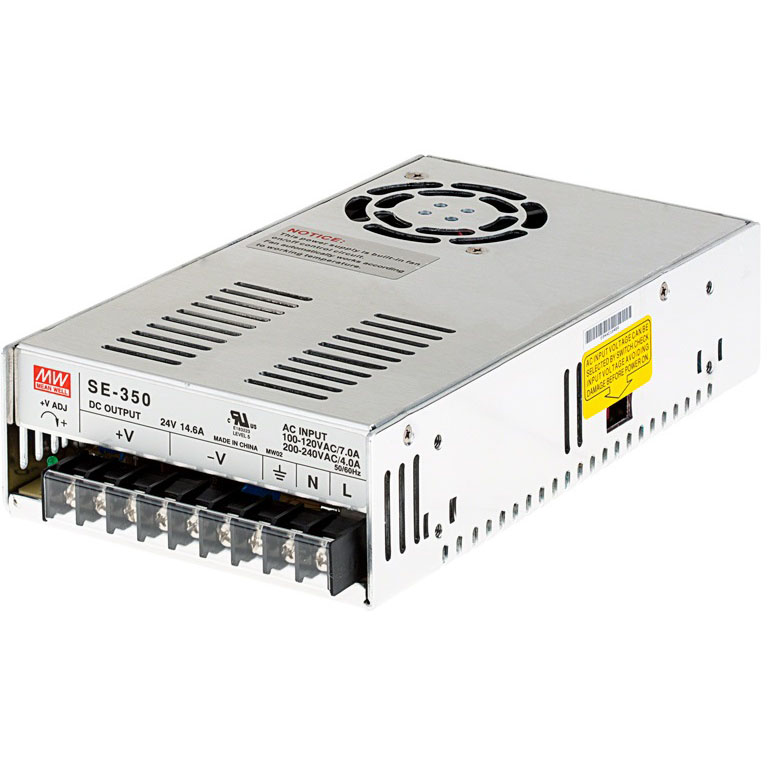
4.1 Power Supply
-
- Converts AC to DC
-
- Supplies power to PLC electronics
4.2 CPU (Central Processing Unit)
This is the brain of the PLC. It includes
-
- Executes logic
-
- Performs calculations
-
- Handles communication
-
- Detects faults
4.3 Input Modules
These receive signals from field devices like:
-
- Push buttons
-
- Limit switches
-
- Proximity sensors
-
- Pressure switches
Inputs can be:
-
- Digital (ON/OFF)
-
- Analog (4–20 mA, 0–10 V)
4.4 Output Modules
These control field devices:
-
- Contactors
-
- Solenoid valves
-
- Lamps
-
- Relays
Outputs can also be:
-
- Digital
-
- Analog
5. Digital vs Analog Signals (Very Important)
Digital Signals:
-
- Only two states → ON or OFF
-
- Example: Motor start/stop
Analog Signals:
-
- Continuous values
-
- Example:
-
- 4–20 mA pressure signal
-
- 0–10 V temperature signal
-
- Example:
PLC must be selected based on signal type requirements.
Want a video Learning- Please look at below video.
6. PLC Programming Languages (IEC Standard)
PLC programming is standardized globally.
Common PLC Languages:
🔹 Ladder Logic (Most Popular)
-
- Looks like electrical relay diagrams
-
- Easy for electricians & beginners
-
- Widely used in industries
🔹 Function Block Diagram (FBD)
-
- Block-based logic
-
- Used in process automation
🔹 Structured Text (ST)
-
- Similar to programming languages
-
- Used for complex calculations
👉 Start with Ladder Logic — always.
7. Basic PLC Ladder Logic Concepts
Understanding these makes PLC easy:
a) Contacts
-
- NO (Normally Open)
-
- NC (Normally Closed)
Used to represent input conditions.
b) Coils
-
- Output instruction
-
- Turns devices ON/OFF
c) Timers
-
- TON (ON delay)
-
- TOF (OFF delay)
Used for sequencing and delays.
d) Counters
Count operations or products
Up counter / Down counter
8. Example: Simple Motor Start-Stop Logic
Logic Description:
-
- Start button → Motor ON
-
- Stop button → Motor OFF
-
- Motor stays ON using seal-in logic
This single example teaches:
✔ Contacts
✔ Coils
✔ Latching
✔ Real industrial logic
This is the foundation of PLC programming.
9. PLC Addressing (Beginner Friendly)
Each PLC uses addresses for I/O.
Example:
-
- I0.0 → Input (Start button)
-
- I0.1 → Input (Stop button)
-
- Q0.0 → Output (Motor)
Addressing varies by brand:
-
- Siemens
-
- Allen-Bradley
-
- Mitsubishi
-
- Schneider
But concept remains same.
10.Communication in PLCs
PLCs communicate with:
-
- HMIs
-
- SCADA
-
- Other PLCs
-
- Drives & instruments
Common protocols:
-
- Modbus
-
- Profibus
-
- Profinet
-
- Ethernet/IP
Communication is a must-learn intermediate skill.
11.How to Learn PLC Step-by-Step
Recommended Path:
1️⃣ Basics of electricity
2️⃣ Digital logic
3️⃣ PLC hardware
4️⃣ Ladder logic
5️⃣ Timers & counters
6️⃣ Analog signals
7️⃣ Communication
8️⃣ SCADA integration
Practice matters more than theory.
If you liked this article, then please subscribe to our YouTube Channel for Electrical, Instrumentation, PLC, and DCS video tutorials.
You can also follow us on Facebook , Instagram & Linkdin